Piper RL Demo
This repository contains simple demonstration code for Piper RL, showing how to use Piper RL to train a simple task: Reach Target, the task requires the center of Piper’s gripper to reach a specified target position without demanding the end pose of Piper’s end-effector, achieved through a simple reward function. The repository provides training examples under two simulators: Mujoco and Genesis.
Repositories
Environment Dependencies
- Install RL-related dependencies
pip install -r requirements.txt
- Install Genesis-related dependencies
- Pytorch
Install Pytorch and select the corresponding installation command based on your CUDA version. Find the Pytorch command for your CUDA version at link. For example, for CUDA 12.9, use the following installation command:
pip install torch==2.8.0 torchvision==0.23.0 torchaudio==2.8.0 --index-url https://download.pytorch.org/whl/cu129
- Genesis World
Install Genesis World with the command:
pip install genesis-world
- Install Mujoco
pip install mujoco==3.3.2
Genesis Examples
Load Piper model in Genesis
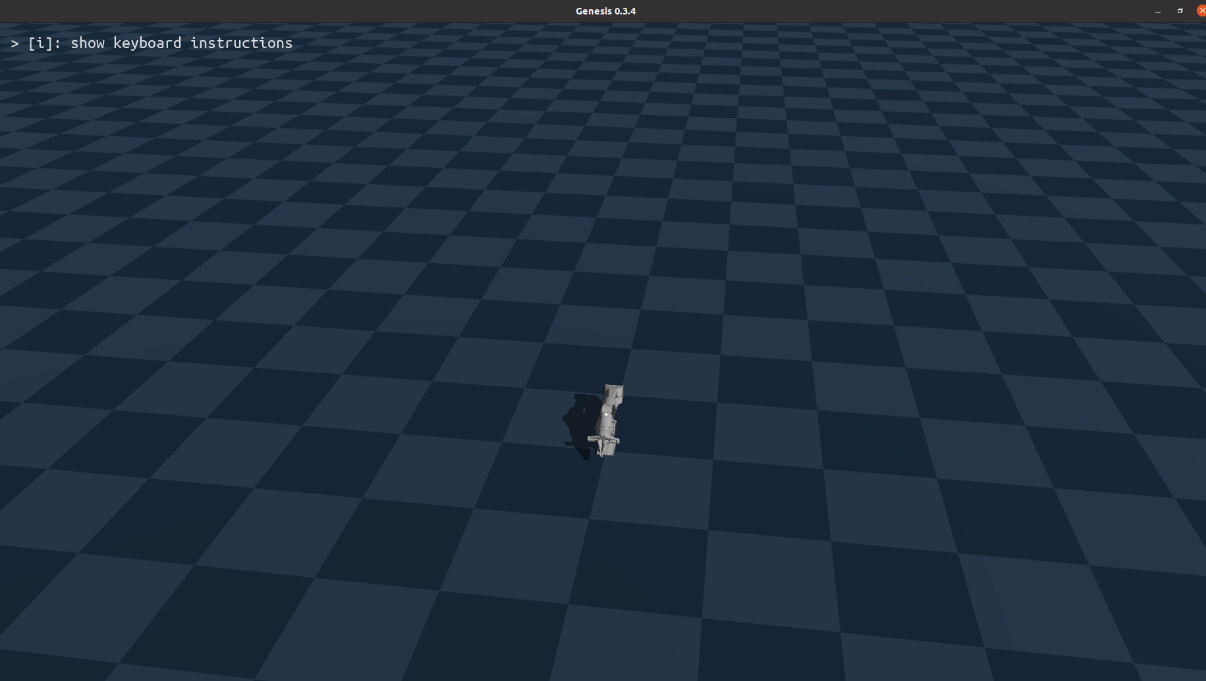
Run genesis_demo/hello_genesis.py
python genesis_demo/hello_genesis.py
You can see the Piper model is loaded successfully.
Control Piper model in Genesis
Run genesis_demo/control_piper.py
python genesis_demo/control_piper.py

You can see Piper moves according to the set position.

Implement parallel simulation of multiple Pipers in Genesis
Run genesis_demo/multi_piper.py
python genesis_demo/multi_piper.py

Implement parallel training of multiple Pipers in Genesis
Run piper_rl_genesis.py
python piper_rl_genesis.py
You can see multiple Pipers attempting to approach the set position.

Launch tensorboard to view the reward changes of multiple Pipers during training:
tensorboard --logdir tensorboard/piper_reach_target/

Basic Steps to Implement Piper Env in Genesis
- Initialize the env
#  For more detailed methods of inheriting gym.Env, refer to the gym examples provided by OpenAI
class PiperEnv(gym.Env):

    #__init__(): Initializes the environment, robot parameters, action space and observation space,
    # facilitating the reinforcement learning algorithm to search for appropriate actions in the given observation space
    def __init__(self, visualize: bool = False):
        super(PiperEnv, self).__init__()

        self.visualize = visualize

        # Set the joint indices to be controlled
        self.jnt_name = [
            "joint1",
            "joint2",
            "joint3",
            "joint4",
            "joint5",
            "joint6"
        ]

        # Set the generation space for random target points and the workspace of the Piper robotic arm
        self.workspace = {
            'x': [-0.5, 1.5],
            'y': [-0.8, 0.8],
            'z': [0.05, 0.5]
        }

        # Set the device for the environment
        self.tensor_device = "cpu"
        self.gs_device = gs.cpu

        #  Set joint limits
        self.jnt_range = torch.tensor([
            [-2.61, 2.61],
            [0, 3.14],
            [-2.7, 0],
            [-1.83, 1.83],
            [-1.22, 1.22],
            [-1.57, 1.57]
        ], device=self.tensor_device)

        # PD controller parameters for Piper robotic arm joints
        self.kp = torch.tensor([4500, 4500, 3500, 3500, 2500.0, 2500.0], device=self.tensor_device)
        self.kv = torch.tensor([450.0, 450.0, 350.0, 350.0, 250.0, 250.0], device=self.tensor_device)

        gs.init(backend = self.gs_device)

        # Create genesis scene
        self.scene = gs.Scene(
            # Set camera
            show_viewer = self.visualize,
            viewer_options = gs.options.ViewerOptions(
                camera_pos    = (3.5, -1.0, 2.5),
                camera_lookat = (0.0, 0.0, 0.5),
                camera_fov    = 40,
            ),
            # Set physics engine
            rigid_options = gs.options.RigidOptions(
                dt = 0.01,
            ),
        )

        # Add ground plane
        plane = self.scene.add_entity(
            gs.morphs.Plane(),
        )

        # add piper robot
        self.robot = self.scene.add_entity(
            gs.morphs.MJCF(file='xml/agilex_piper/piper.xml'),
        )

        # Build the scene
        self.scene.build()

        # The initial pose is Piper robotic arm's default pose (all joint angles are 0)
        self.default_joint_pos = torch.tensor([0.0, 0.0, 0.0, 0.0, 0.0, 0.0], device=self.tensor_device)
        # Define the position (x,y,z) of the end-effector (actually, the end-effector position is not (0,0,0) when Piper is in the initial pose)
        self.default_ee_pos = torch.tensor([0.0, 0.0, 0.0], device=self.tensor_device)

        #  Define action space and observation space to ensure joint values do not exceed -PI to PI
        self.action_space = spaces.Box(low=-3.14, high=3.14, shape=(6,), dtype=np.float32)

        #  Define observation space, including 6 joint angles and 3 end-effector positions
        self.observation_space = spaces.Box(low=-np.inf, high=np.inf, shape=(9,), dtype=np.float32)


        self.motors_dof_idx = [self.robot.get_joint(name).dof_start for name in self.jnt_name]
        self.robot.set_dofs_kp(self.kp, self.motors_dof_idx)
        self.robot.set_dofs_kv(self.kv, self.motors_dof_idx)

        self.goal = torch.tensor(torch.zeros(3, dtype=torch.float32), device=self.tensor_device)
        self.last_action = torch.tensor(torch.zeros(6, dtype=torch.float32), device=self.tensor_device)
        self.goal_threshold = 0.005
- Design the reward function
def calc_reward(self, action, obs):

        # Calculate the distance between the robotic arm joints and the target position
        dist_to_goal = torch.linalg.norm(obs[6:] - self.goal)

        # Non-linear distance reward
        if dist_to_goal < self.goal_threshold:
            distance_reward = 100.0
        elif dist_to_goal < 2*self.goal_threshold:
            distance_reward = 50.0
        elif dist_to_goal < 3*self.goal_threshold:
            distance_reward = 10.0
        else:
            distance_reward = 1.0 / (1.0 + dist_to_goal)

        #  Action-related penalty: penalize large joint changes
        action_diff = action - self.last_action
        smooth_penalty = 0.1 * torch.linalg.norm(action_diff)

        # Joint angle limit penalty
        joint_penalty = 0.0
        for i in range(6):
            min_angle = self.jnt_range[i][0]
            max_angle = self.jnt_range[i][1]
            if obs[i] < min_angle:
                joint_penalty += 0.5 * (min_angle - obs[i])
            elif obs[i] > max_angle:
                joint_penalty += 0.5 * (obs[i] - max_angle)

        # Total reward calculation
        total_reward = distance_reward - smooth_penalty - joint_penalty
        #  Update last action
        self.last_action = action.clone()

        return total_reward, dist_to_goal
- Set the step function
def step(self, action):
        action_tensor = torch.tensor(action, device=self.tensor_device, dtype=torch.float32)

        # Action scaling: normalize observation values with different physical dimensions.
        # Neural networks are more sensitive to large-value features, leading to unstable training;
        # scaling ensures all observations are in a similar range
        scaled_action = torch.zeros(6, device=self.tensor_device, dtype=torch.float32)
        for i in range(6):
            scaled_action[i] = self.jnt_range[i][0] + (action_tensor[i] + 1) * 0.5 * (self.jnt_range[i][1] - self.jnt_range[i][0])

        # Genesis robot executes the action
        self.robot.control_dofs_position(scaled_action, self.motors_dof_idx)
        # Genesis scene simulates one step
        self.scene.step()

        # Observation
        obs = self.get_observation()

        # Calculate reward
        reward, dist_to_goal = self.calc_reward(action_tensor, obs)
        terminated = False
        if dist_to_goal < self.goal_threshold:
            terminated = True

        if not terminated:
            if time.time() - self.start_t > 20.0:
                reward -= 10.0
                print(f"[Timeout] Time exceeded, reward halved")
                terminated = True

        info = {
            'is_success': terminated and (dist_to_goal < self.goal_threshold),
            'distance_to_goal': dist_to_goal.item()
        }

        return obs.cpu().numpy(), reward.item(), terminated, False, info
Mujoco Examples
Implement parallel training of multiple Pipers in Mujoco
Run piper_rl_mujoco.py
python piper_rl_mujoco.py
Launch tensorboard to view the reward changes of multiple Pipers during training:
tensorboard --logdir tensorboard/piper_reach_target/

Test the trained model in Mujoco
Run piper_rl_mujoco.py
python piper_rl_mujoco.py
You can see Piper successfully reaches the target position.

