Posted by @jerinpeter:
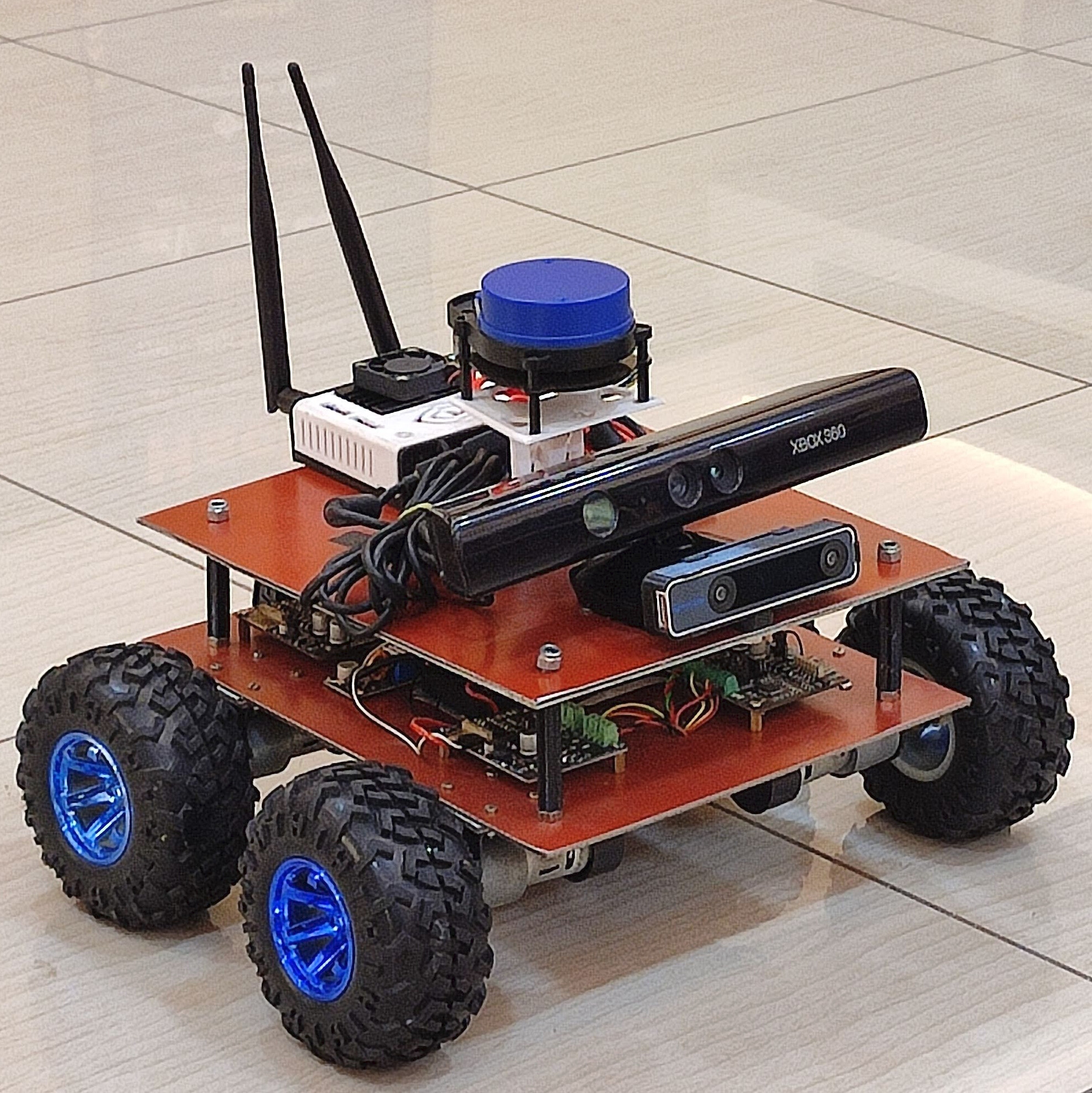
I have been trying to setup rmf for my custom made ROS Robot
Things I have done so far are:
- My robot can now accept nav. goals and go to a goal location.
- I had gone through the rmf repositories and created a free_fleet client launch file which required move_base to be running and that is working perfectly fine.
- I have mapped my room with Gmapping and have created a map file which I imported in the traffic-editor and created a somename.building.yaml
- I also generated a Navigation path file 0.yaml
note: we get a .pgm file when we save the map. The same was converted into .png then imported into building editor and then scale was set
<------------------------------------------------------------------------------------------------------------------------------------------------------------------------------->
Things to be done / doubts :
If my understanding is correct, I need to set up a free_fleet server launch file in my computer by including the .buildling.yaml and nav graph file 0.yaml.
I am stuck in this part. I am not able to find a proper launch file template for making it work with my physical robot. I also found out that the simulations use some adapters like slotcar etc.
I am also confused on how to give navigation goals after setting up the server and client. The rmf_demos showcase it as a task via CLI or web interface but I want to set up the same in my custom robot.
That is, the robot should move to a specified named point say bedroom1, in the map (which was set in the traffic-editor gui). I also need to figure out how to do the same.
|
|
| My robot |
traffic-editor gui with my custom map |
Attaching the free_fleet client launch file that ran successfully on my Jetson Nano.
ff_client.txt
@Yadunund
Posted by @Yadunund:
@jerinpeter,
Cool robot! Nice to see that you’re integrating your robot with RMF via free_fleet.
You can find more information on the free_fleet server launch file here. There is another example in the repo here. As you can see, you’ll need to provide the coordinate transformation parameters between your robot map’s coordinate frame and the RMF coordinate frame. One neat way of doing this is via rmf_traffic_editor. You can import your map png file as a “layer”. Then you can either 1) Manually scale, rotate, translate to align the two maps or 2) You can add Constraints between corresponding points on the floorplan layer and your map layer and then click Edit->Optimize layer transforms. This will automatically perform the alignment operations. Clicking on the layer will reveal the necessary transform values in the rightside toolbar.
When running RMF with real robots, remember to set the use_sim_time parameter to false in all your launch files.
You can then send task requests for your robot to perform via RMF. There are multiple ways to do this including 1) CLI 2) RMF Panel or using rmf-web. For examples of the first two options see the README in rmf_demos. Specifically if you would like to request your robot to go to a named waypoint, you can run
ros2 run rmf_demos_tasks dispatch_loop -s bedroom1 -f bedroom1
But this approach is not ideal. The correct way to send a single waypoint request is to submit a composite task with a single go_to_place activity. You can take a look at this file for how this can be done. That script will request the robot to visit a number of places as specific by the users but you can use it to submit a single waypoint. We will merge this script in soon.
Good luck with the integration.
Posted by @jerinpeter:
Thankyou so much I will check it out and get back with an update soon!
@Yadunund one small query, The launch file you just specified is for launching the server but we where do we specify the nav graph file 0.yaml and .building.yaml file? If that is to be implemented via a fleet adapter, can you also please provide a template launch file for the same? I guess with that I can start testing my robot. As per your anwer setting up the server and map + giving goal location is clear. I have slight confusion configuring the fleet adapter part.
Thank You
Posted by @Yadunund:
If you’re using free_fleet, you’ll pass in the generated nav_graph 0.yaml as a parameter argument for the full_control fleet adapter node. The .building.yaml file is an arguement for the building_map_server node. See this example in rmf_demos
Posted by @jerinpeter:
Thankyou @Yadunund will test it out and share the update soon.
Posted by @josh-001:
I have my map.yaml and also 0.yaml but i am unable to load into rviz saying like no such file exists after doing colcon build i cant find these in share folder also, can you help em out in this? @Yadunund @jerinpeter
Posted by @0RBalaji:
Did you check whether the files exists at the path which is shown in terminal?